The app
Everything about the move, in your pocket.
Mobile app to ship, bid, drive and track vehicle moves.
Shippers, dealerships, owner-operators and drivers follow the same job from request to arrival.
No subscription fee for the software. The vehicle move is a paid service.


MOVAELO connects people who need a vehicle moved with carriers who haul vehicles. Post what needs moving, compare carrier offers, choose the carrier and follow the vehicle. Include route, timing, condition and any equipment or access needs so carriers can quote the move.
From request to delivery.

1Request
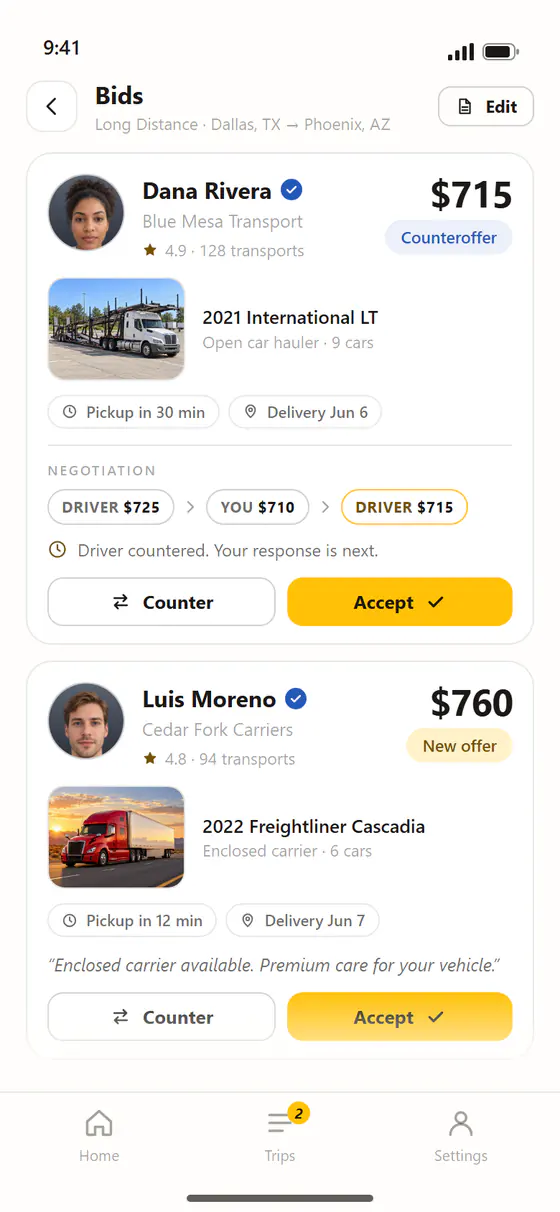
2Compare offers
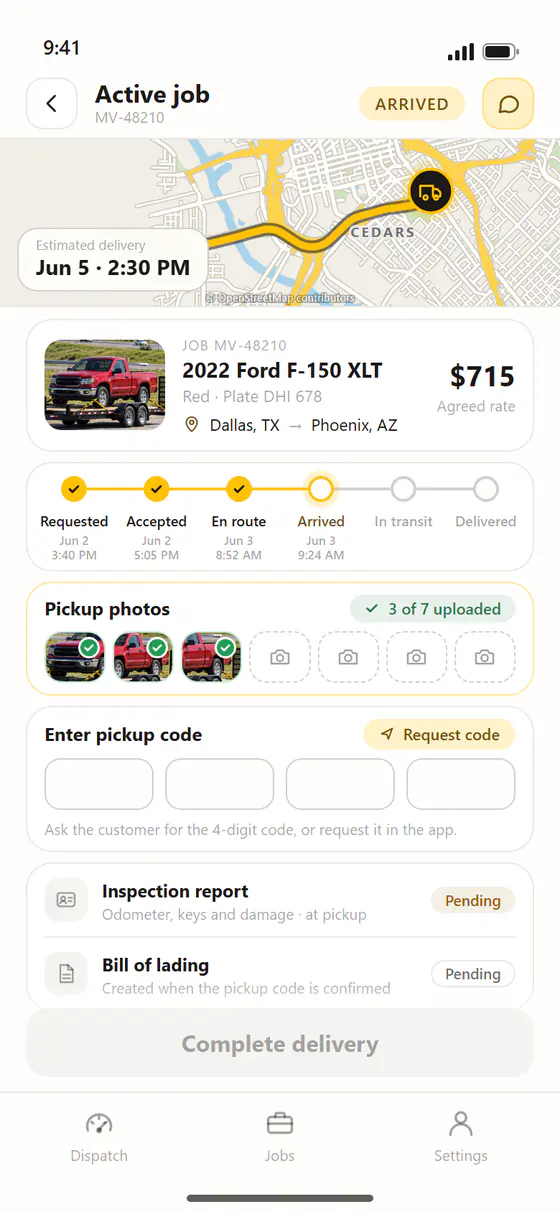
3Pickup
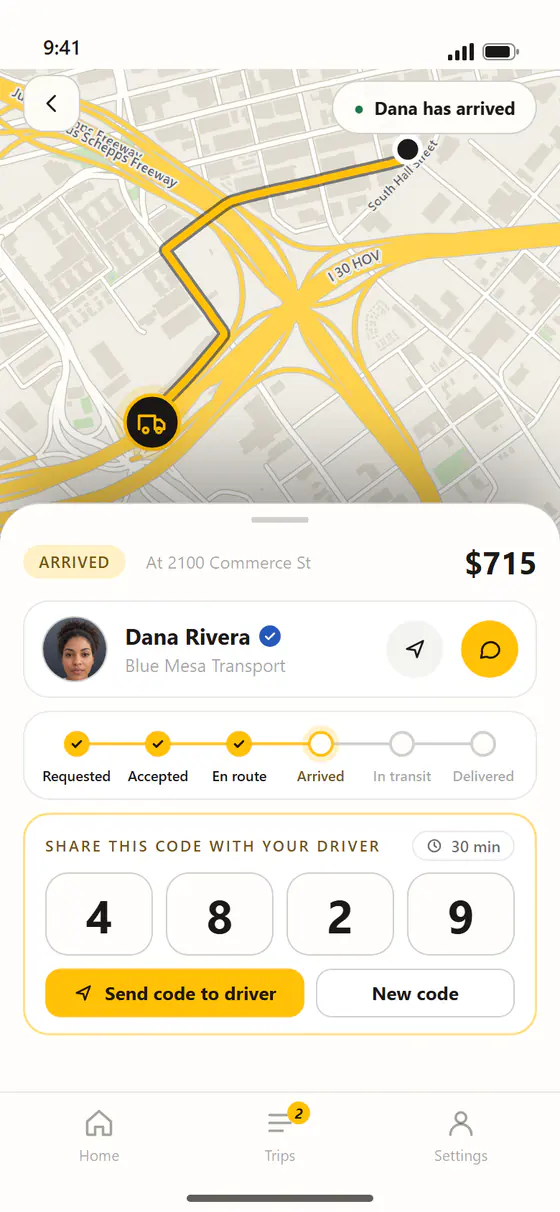
4In transit

5Delivered


Shippers
Request, compare, choose.
Start from the request menu, see a typical price range, and let the offers come in.
- Pick the service.
Towing, local transport, long distance, dealer transport, auction pickup or roadside help.
- Check the carrier.
Rating, completed trips, equipment and insurance review on each profile.
- Chat after award.
Sort out access and arrival details in the job.


Carriers and drivers
Find work and run the trip.
Browse open jobs, place a bid, then take pickup photos, enter the code and finish with a signed delivery.
- Open jobs by route.
Submit a bid when a job fits your truck and schedule.
- Pickup with a code.
Photos, inspection and the bill of lading, all in the job.
- Jobs by status.
See what is available, active and pending at a glance.


Roadside
Stuck on the road? Ask for help.
Choose what you need, compare offers from providers nearby and agree the price before they head your way.
- Jump start, tire change, lockout or fuel.
Pick the service and describe the situation.
- Offers with prices.
Accept an offer or counter it.


Resources
Guides to the MOVAELO platform
Questions about the MOVAELO app
How do I ship a car with MOVAELO?
Post the vehicle, the pickup and delivery details and any special instructions. Compare the offers you receive, choose a carrier and follow the move in the app.
Can I negotiate an offer?
Yes. You can negotiate before you award the job, so price and timing are agreed first.
Can I message the driver before I choose a carrier?
Job chat opens after award. Use the offer and negotiation steps to settle details before you choose.
What gets documented at delivery?
The delivery workflow captures the handoff and condition evidence. Compare it with the pickup record for a clear account of what changed, if anything.
What if I spot damage at delivery?
Record what you see during the handoff and keep the pickup and delivery photos and documents together. Contact the carrier and use the claims process that applies to your move.
Get early access
Free for dealerships, carriers and drivers.
- Free for dealers, carriers and drivers
- No subscription. No demo to sit through.
Last updated